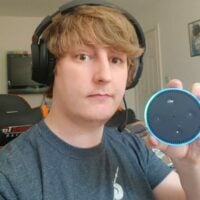
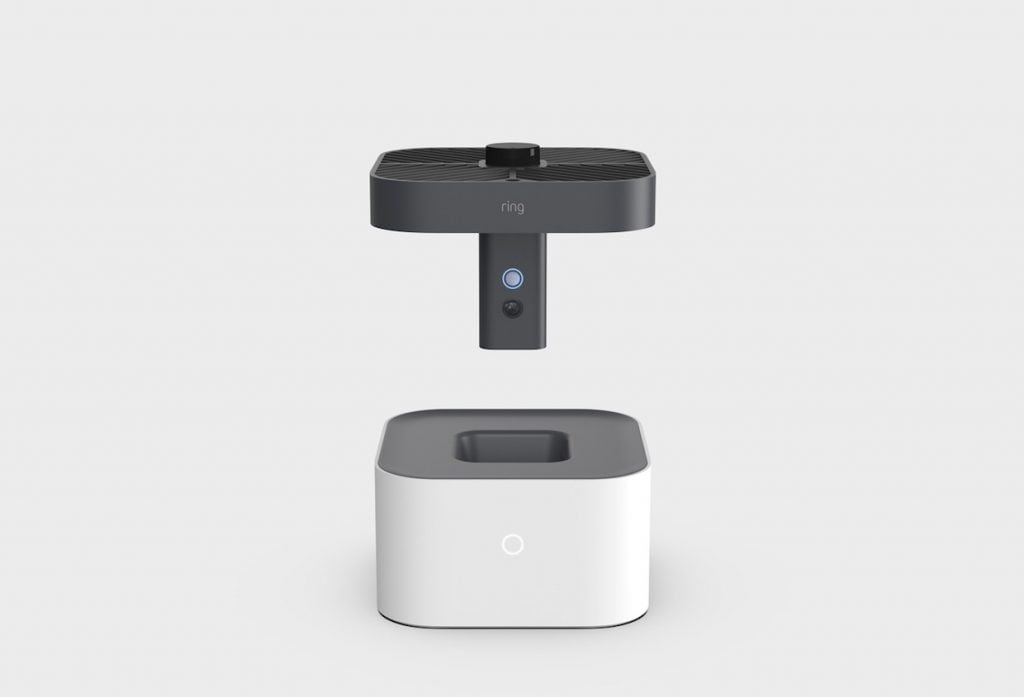
Vim li cas thiaj siv $100s rau kev ruaj ntseg thaum koj tuaj yeem siv Smart Home technology kom koj lub tsev ruaj ntseg? Siv Alexa Guard nrog lwm cov khoom siv xws li Lub Nplhaib Kev Ruaj Ntseg Drone lossis txawm tias Wyze Security Lub Koob Yees Duab tuaj yeem txhim kho koj lub tsev ruaj ntseg ntawm pob nyiaj siv.
Amazon tam sim no muab kev pabcuam Alexa Guard rau txhua lub cuab yeej nrog Echo tsim rau hauv nws. Qhov no yuav tso cai rau koj lub tshuab Echo mloog cov suab uas nws tau kawm kom paub txog (Piv txwv li iav tawg).
Yog tias koj ceev faj tiag tiag, koj tuaj yeem xaiv rau hauv qhov kev pabcuam npe hu ua Alexa Guard Plus uas muab cov txiaj ntsig zoo tshaj plaws suav nrog tus xov tooj pabcuam uas tuaj yeem tiv tauj 24/7.
Yog tias zoo li kuv tus kheej koj nyob nraum paranoid heev thaum koj tsis nyob hauv tsev thiab niaj hnub tshuaj xyuas koj ntsais lub koob yees duab, qhov no yog qhov kev xaiv nyiaj txiag zoo. Xav paub ntau ntxiv? Mus nyeem ntawv!
Alexa Guard & Alexa Guard Plus yog dab tsi?
Alexa Guard yog qhov tshwj xeeb uas tuaj nrog koj lub cuab yeej Amazon Echo uas mloog ntau lub suab xws li iav tawg, hneev taw, pa taws thiab CO ntes beeps. Thaum nws paub txog qhov xwm txheej nws yuav ceeb toom koj ncaj qha ntawm kev ceeb toom mobile.

Thaum qhov no tau tshwm sim koj yuav tau txais kev ceeb toom ntawm koj lub xov tooj / ntsiav tshuaj nrog Amazon Echo app tau teeb tsa ceeb toom koj txog qhov teeb meem.
Lwm qhov zoo tshaj plaws yog qhov muaj peev xwm ua kom koj lub teeb ntse tig rau thiab tawm randomly thoob plaws hmo ntuj kom txhais tau tias koj tseem nyob hauv tsev thiab tsaug zog.
Alexa Guard ntxiv muaj ntau yam kev ruaj ntseg ntxiv ntawm $ 4.99 ib hlis, cov yam ntxwv no tuaj hauv peb pawg tseem ceeb.
Koj tus Echo Speaker lossis Echo Show yuav mloog ntau ntau lub suab; cov suab no suav nrog lub qhov rooj qhib, iav tawg thiab footsteps.
Yog tias koj tus Alexa Guard tau ua tub rog thiab pom lub suab, nws yuav sim tiv thaiv cov neeg tawm tsam los ntawm kev ua si suab zoo li aub barking lossis tswb.
Amazon kuj tau qhia txog qhov tshwj xeeb rau cov neeg siv nyob hauv Asmeskas uas yuav tso cai rau koj hu ncaj qha rau tub ceev xwm lossis kev sib cuag thaum muaj xwm txheej ceev thaum muaj xwm txheej raug yuam nkag.
Alexa Guard zoo npaum li cas?
Ua ntej koj mus pov tag nrho koj lub koob yees duab tseg, qhov no tsis yog ib qho kev daws teeb meem tag nrho. Nws tsuas yog ib qho cuab yeej uas tso cai rau koj ntxiv me ntsis ntxiv kev ruaj ntseg rau koj txoj kev ruaj ntseg uas twb muaj lawm.
Amazon tau siv sijhawm ntau los cob qhia Alexa kom raug txheeb xyuas qhov kev hem thawj tau hais. Tus cev lus rau Amazon tau hais tias lawv pab neeg yuav tsum tau rhuav tshem ntau hom qhov rais nrog ntau yam khoom xws li Crow Bars, Cib & Hammers.
Alexa siv tshuab kev kawm los txiav txim siab txoj kev teeb pom kev zoo rau koj lub tsev raws li kev siv teeb pom kev zoo thoob plaws cov neeg siv khoom.
Amazon Tus Neeg Sawv Cev
Nrog rau kev siv Machine Learning, Amazon muaj peev xwm qhia Alexa los xaiv cov zaus ntawm cov suab no kom nws thiaj li kawm tau dab tsi yog qhov muaj peev xwm tawg lossis xwm txheej ceev. Zoo nkauj ntse, txoj cai?
Pab pawg no tau tawg ntau pua lub qhov rais sib txawv, ntau qhov sib txawv, suav nrog ib lub pane thiab ob chav pane, nrog ntau yam cuab yeej suav nrog crowbars, rauj, cib, ntaus pob, thiab lwm yam.
Amazon Tus Neeg Sawv Cev rau CNBC
Kuv yuav pab Alexa Guard li cas?
- Qhib Alexa app ntawm koj lub xov tooj (Qhov no yuav tsum tau hloov kho)
- Coj mus rhaub cov ntawv qhia zaub mov khawm nyob rau sab laug.
- Xaiv "Settings."
- Xaiv "Tus Saib Xyuas.", nias "Tsim Guard."
- Nias "Add" txhawm rau txheeb xyuas lub tswb ceeb toom pa taws thiab cov pa roj carbon monoxide detectors hauv koj lub tsev.
- Nias "Add" txhawm rau qhib cov ntawv ceeb toom ntse kom pom lub suab ntawm cov iav tawg.
- Raws li kev xaiv ntxiv, koj tuaj yeem xaiv “Ntxiv” txhawm rau qhib lub teeb pom kev ntse.
- Nkag mus rau koj tus lej zip / xa ntawv raws li koj qhov chaw nyob, yog li lub teeb pom kev ntse paub thaum yuav qhib.
- Xaiv "Confirm."
- Koj yuav tsum tau hais tias "Alexa, Kuv tawm mus" txhawm rau qhib Guard thaum koj tawm hauv koj lub tsev, txawm li cas los xij qhov no yuav daws tau zoo dua los ntawm IFTTT (Yav tom ntej) thaum nws pom koj lub xov tooj ntawm tes tsis nyob ntawm wifi.
Alexa Guard yog dawb tab sis tseem yuav tsum tau ua haujlwm los ntawm koj tus kheej. Nws xav kom koj ua ntej hais "Alexa, Kuv tawm mus" txhawm rau qhib Guard ntawm koj lub Echo thiab yuam Alexa pib mloog ntau dua li "Alexa" cov lus tsa suab.
Nws xav kom koj ua ntej hais "Alexa, Kuv tawm mus" txhawm rau qhib Guard ntawm koj lub Echo thiab yuam Alexa pib mloog ntau dua li "Alexa" cov lus tsa suab.
Thaum Alexa Guard ua rau muaj kev ceeb toom nrog rau 10-thib ob lub suab kaw ntawm qhov xwm txheej thiab lwm yam Echo hnov tau xa ncaj qha rau koj lub xov tooj.
Dab tsi Echo Devices ua haujlwm nrog Alexa Guard?
Raws li tam sim no, cov tsev neeg hauv qab no ua haujlwm nrog Alexa Guard: Amazon Echo, Amazon Echo Dot, Amazon Echo Plus, Amazon Echo Show, Amazon Echo Spot & Amazon Echo Input.
Alexa Guard puas tuaj yeem tiv tauj kuv qhov kev pabcuam kev ruaj ntseg?
Alexa tuaj yeem txuas nrog siv lub tswb nrov, ADT pulse & ADT Control leej twg tuaj yeem tshem tawm koj lub kaw lus ruaj ntseg los ntawm kev tswj lub suab lossis nyob deb.
Qhov no tseem tso cai rau Alexa xa tag nrho cov ntaub ntawv kaw tseg rau koj qhov kev pabcuam kev nyab xeeb ntawm kev xaiv kom lawv tuaj yeem txiav txim siab seb qhov no puas yog iav raug tso tseg lossis qhov tseeb tawg.
Qhov no, txawm li cas los xij, txawv ntawm tus neeg muab kev ruaj ntseg mus rau tus neeg muab kev ruaj ntseg, yog li nws tsis yog 100% lav thiab peb yuav xav kom txhim kho lub koob yees duab kev ruaj ntseg me me / kev soj ntsuam xws li Blink X, Nest Cam lossis Arlo Pro.
Puas yog Alexa Guard ua haujlwm yam tsis muaj internet lossis lub zog?
Cias muab, tsis muaj. Tsis muaj tam sim no txoj kev siv roj teeb siv hluav taws xob ua qhov no, muaj lwm txoj hauv kev xws li Gocybei Battery Base uas peb pom zoo rau 1st thiab 2nd Generation Echo's.
Yog tias internet lossis koj lub hwj chim txiav tawm, thaum qhov no rov qab los nws yuav zoo txawm li cas los xij nws yuav tau tso tseg koj lub cim rau "Alexa, Kuv Yuav Tawm". Yog li qhov no yuav tsum tau rov ua dua (Txawm tias qhov no rov ua dua).
Kev daws rau qhov no yuav yog Arduino pawg thawj coj saib uas tau teeb tsa nrog tus neeg hais lus kom cia li tham nrog Alexa thaum koj tawm thiab teeb tsa tag nrho cov lus txib rov qab, txawm hais tias qhov no yog qhov kawg!
Puas yog Alexa Guard ua haujlwm nrog Sonos?
Raws li kev sau ntawv no, tsis muaj qhov tshwj xeeb tsim rau hauv Sonos uas tso cai rau koj siv Alexa Guard nrog Tus Hais Lus. Hauv qhov no, khaws koj lub cuab yeej Alexa ze koj lub qhov rooj kom qhib Alexa Guard yooj yim.